If you’ve worked with digital prints on PVC boards, you know that those crisp, vibrant graphics don’t stay perfect forever—dust, fingerprints, smudges, and even outdoor grime can dull their sharpness over time. As a supplier of PVC boards made specifically for digital printing, I’ve spent years troubleshooting the unique needs of these materials, because not all PVC is created equal. The boards we manufacture have a smooth, durable surface that’s designed to hold inks well, but they still need careful cleaning to avoid damaging the print layer or the board itself. I’ve seen too many project managers ruin a month-long design just by grabbing a random cloth and spray cleaner, so today I’m breaking down the science of cleaning digital prints on PVC, step by step, from the supplies you’ll need to common mistakes to avoid. PVC Board For Digital Printing

First, let’s talk about why PVC boards for digital printing need special care. Unlike plain PVC, the ones we supply have a specialized coating that’s formulated to bond with eco-solvent, UV-curable, or latex inks—three of the most common inks used for large-format prints, signage, and decorative displays. That print layer is only a few micrometers thick, and it sits right on top of the coating; any harsh chemical or abrasive action can scratch that layer, fade the ink, or even lift it entirely. The core PVC board is rigid and water-resistant, but the print side is fragile. So before you reach for that all-purpose kitchen cleaner, let’s get clear on what’s safe and what’s not.
The first rule of thumb is to always test any cleaning product on an inconspicuous area first. I can’t stress this enough. Last year, a customer told me they’d used a glass cleaner on a set of outdoor PVC signs, only to watch the red ink fade to pink within a week. The ammonia in glass cleaners breaks down many types of digital inks, especially the water-based latex inks popular for indoor displays. To test, pick a spot on the back edge of the PVC board or a corner of the print that won’t be visible once the sign is installed. Apply a tiny amount of your chosen solution, wait 10 seconds, then gently dab it dry. If there’s no fading, discoloration, or damage to the print, it’s safe to use on the rest of the surface. If you work for a sign shop, I always recommend keeping a small sample of the exact PVC board you use for testing—saves you scrambling for a spot later.
Now, what supplies do you actually need? Let’s start with the gentle stuff, because most light cleaning jobs don’t need anything stronger. For regular dusting and light smudges, you’ll need: a lint-free microfiber cloth (paper towels are out—they have wood fibers that scratch the print surface, no exceptions), a can of compressed air (for blowing dust out of crevices, like between letters on a sign), and a gentle, pH-neutral cleaning solution. pH-neutral is key here. The print layer and the PVC coating sit best at a neutral pH (around 7); anything too acidic or too alkaline (like vinegar, ammonia, or bleach) will erode the print over time. For light cleaning, the easiest solution is warm distilled water. Tap water often has minerals or chlorine that can leave spots on the smooth PVC surface, so distilled water is worth the extra step. For slightly tougher smudges—like handprints from touching a sign before it’s cured, or light grime from indoor storage—you can mix a tiny amount of mild dish soap (unscented, no added moisturizers or bleaches) into the water. Aim for a ratio of 1 teaspoon of soap per gallon of water, max. Too much soap will leave a soapy residue that attracts more dust later.
For deeper cleaning jobs—outdoor PVC boards that have been exposed to rain, bird droppings, or outdoor grime—you still want to stick to gentle, non-abrasive options, but you may need a slightly stronger solution. I recommend a solution of warm distilled water and a commercial, print-safe PVC cleaner. Not all PVC cleaners are the same—some are formulated for unprinted PVC, which can be too harsh for the print layer. When shopping for a print-safe cleaner, look for labels that say “compatible with digital inks” or “pH-neutral for coated surfaces.” Avoid any product that says “abrasive” or “contains bleach.” For really tough spots, like bird droppings that have baked on, you can let the solution sit on the spot for 10 to 15 seconds before gently wiping, but don’t let it dry on the surface— that’s a surefire way to leave spots.
Now, let’s walk through the step-by-step cleaning process, because how you do it is almost as important as what you use. First, always start with dry cleaning, before you add any liquid. Dust is made of tiny, hard particles that act like sandpaper if you wipe them across the wet print surface. So first, take your microfiber cloth and gently wipe the surface in a linear motion (following the direction of the print’s design, if it has a clear grain) to lift loose dust. For hard-to-reach areas, like the edges of a sign or around small text, use compressed air to blow dust away—hold the can upright, about 6 inches from the surface, so you don’t accidentally spray the propellant and damage the print. If you skip the dry step, you’ll scratch the print, and even the most careful handiwork can leave those tiny marks that ruin a crisp sign.
Next, prepare your cleaning solution, and only mix as much as you need for the job. Old cleaning solutions can grow bacteria or develop minerals that leave spots, so make fresh solution each time. Dip your microfiber cloth into the solution, then wring it out until it’s almost dry. This is another critical step—too much water can seep between the print layer and the PVC board, causing the ink to lift or the coating to peel, especially if the board has any edges that aren’t fully sealed. A damp cloth, not a soaking wet one, is what you want. Wipe the surface in gentle, overlapping linear strokes, applying very light pressure. Don’t scrub, don’t rub in circles—scrubbing will wear down the print layer over time, especially on high-traffic items like trade show displays. For individual smudges, you can focus only on that area, but if you’re cleaning a large sign, work in sections to keep the surface from drying out before you’re done.
Once you’ve cleaned the entire surface, go back and dry it immediately with a fresh, dry microfiber cloth. Any remaining moisture on the smooth PVC surface will leave water spots as it evaporates, especially if you used tap water. Blot the surface gently, don’t wipe, to lift any leftover moisture. For extra-large items, like a 10-foot outdoor banner on PVC, you can use a soft squeegee (the kind used for car windows, not the abrasive one you use for floors) to pull water off the surface, then dry with a cloth to catch any streaks.
Now, let’s talk about what to avoid. I’ve seen so many mistakes that people make, often because they’re in a hurry. First, never use abrasive scrubbers: steel wool, scouring pads, even rough paper towels are bad news. The tiny fibers on these materials will scratch the print surface, leaving permanent marks that even re-printing can’t fix. Second, never use harsh chemicals: ammonia, bleach, window cleaner, all-purpose cleaner, vinegar, and even rubbing alcohol can break down digital inks. I once had a customer use rubbing alcohol to clean a set of UV-cured prints, and within a month, the ink started to crack and peel at the edges—something rubbing alcohol does to UV inks specifically, because it penetrates the coating and breaks the bond between ink and PVC. Third, don’t clean prints in direct sunlight or in extreme heat. If you’re cleaning an outdoor sign that’s sitting in the sun, the water will evaporate too fast, leaving spots before you can dry it. Do it in a shaded, cool area, or early in the morning when temperatures are low. Fourth, don’t forget to check the ink cure time. Most inks (especially eco-solvent and latex) need 24 to 72 hours to fully cure after printing. If you clean a print before it’s fully cured, the ink will smudge or transfer onto your cleaning cloth. Wait at least 48 hours after printing before cleaning any new projects.
For PVC boards that are used outdoors, like storefront signage or event displays, there are a few extra tips to keep in mind. First, if you notice any small scratches on the PVC board itself (before printing), repair them before applying print—scratches in the PVC can hold dirt and make cleaning harder later. Second, for heavy outdoor grime, you can use a low-pressure power washer, but only if the PVC board is rated for outdoor use. Never use a high-pressure washer— the force can lift the print layer right off the board. If you do use a power washer, keep the pressure below 1000 PSI, hold the nozzle at least 2 feet away from the surface, and only use lukewarm water (no soap, unless it’s a print-safe, pH-neutral cleaner). Test a small area first, same as with any cleaning product, because some PVC coatings are more delicate than others.
Now, let’s talk about long-term care to reduce how often you need to clean in the first place, because that’s better for the print and for your time. When storing PVC boards before printing, keep them in a cool, dry area, stacked vertically on a flat surface, with a sheet of acid-free paper between each board to prevent scratches. Once printed, cover large displays with a lightweight, breathable plastic cover when they’re not in use—sealed plastic traps moisture, which can lead to mold or ink fading. For outdoor signs, add a UV-protective laminate after printing. Laminating not only protects the print layer from dirt, scratches, and UV damage, it also makes cleaning much easier—grime just wipes off the laminate surface, instead of seeping into the print layer. It’s an extra step, but for high-traffic items that need to stay looking crisp for years, it’s worth the investment.
As a supplier of PVC boards for digital printing, I’ve worked with hundreds of sign shops, trade show companies, and retail brands over the last decade, and one thing I’ve learned is that proper cleaning doesn’t have to be complicated. It just takes a little attention to the material’s unique needs. The board we manufacture is built to give you sharp, long-lasting prints, but that starts with treating the print side gently. By sticking to pH-neutral cleaners, soft cloths, and testing first, you can keep your digital prints looking vibrant for years, instead of having to re-print signs every few months because of avoidable damage.
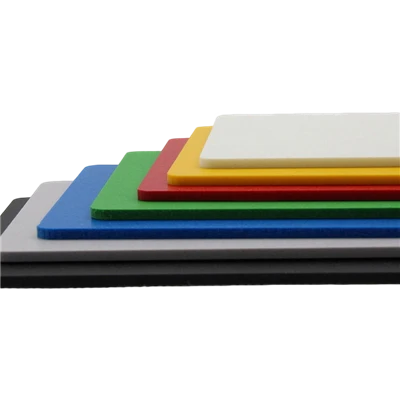
If you’re working on a new project and have questions about the right PVC board for your prints, or need more details on cleaning best practices for your specific application, I’m here to help. We offer a range of PVC boards optimized for all types of digital inks, and our team can share tailored care tips based on your use case, whether that’s indoor signage, outdoor displays, or trade show graphics. Reach out to our team to discuss your needs, and we’ll help you find the right solution for your project.
Anti-microbial PVC Foam Board References
- Large Format Printing: Materials, Processes, and Applications. PLS Publishing, 2021.
- PVC-Based Substrates for Digital Printing: Coating Compatibility and Ink Adhesion. Journal of Printing Science and Technology, vol. 58, no. 3, 2020, pp. 112-121.
- Maintenance and Cleaning Guidelines for Digital Print Signage. Sign Association of North America, 2022.
- Environmental Effects on Printed Digital Graphics: PVC Substrate Performance. Journal of Visual Communication and Image Representation, vol. 72, 2021, pp. 102895.
- Safe Cleaning Practices for Coated Printing Substrates. International Association of Printing House Craftsmen, 2023.
Jameson Performance Plastics Co., Ltd.
With abundant experience, we are one of the most professional pvc board for digital printing manufacturers in China. We warmly welcome you to wholesale customized pvc board for digital printing at competitive price from our factory. If you have any enquiry about free sample, please feel free to email us.
Address: No.97 Liuquan Road, Zibo city, Shandong, China.
E-mail: info@jamesonplastics.com
WebSite: https://www.jamesonplastics.com/
